Multiple Claude Code accounts.
In parallel.
Personal in one terminal, work in another. Each with its own credentials, MCP servers, settings, and memory. Fully isolated. One command to switch.
npm i -g @ngcodes/ccpmgo install github.com/nitin-1926/claude-code-profile-manager/ccpm@latestcurl -fsSL https://raw.githubusercontent.com/nitin-1926/claude-code-profile-manager/main/scripts/install.sh | shgit clone https://github.com/nitin-1926/claude-code-profile-manager.git
cd claude-code-profile-manager/ccpm
go build -o ccpm .
./ccpm --versioncurl -fsSL https://raw.githubusercontent.com/nitin-1926/claude-code-profile-manager/main/scripts/install-desktop.sh | shNative macOS app. Picks your chip, verifies the checksum, installs to Applications and updates itself. Uses the ccpm CLI for changes.
Prefer a window to a flag?
CCPM Desktop is a native macOS app over the same engine — every profile's assets, cascade, MCP servers, permissions, usage, session history, and health in one place, plus an optional usage notch at the edge of your screen. Free, local-first, and it auto-updates.
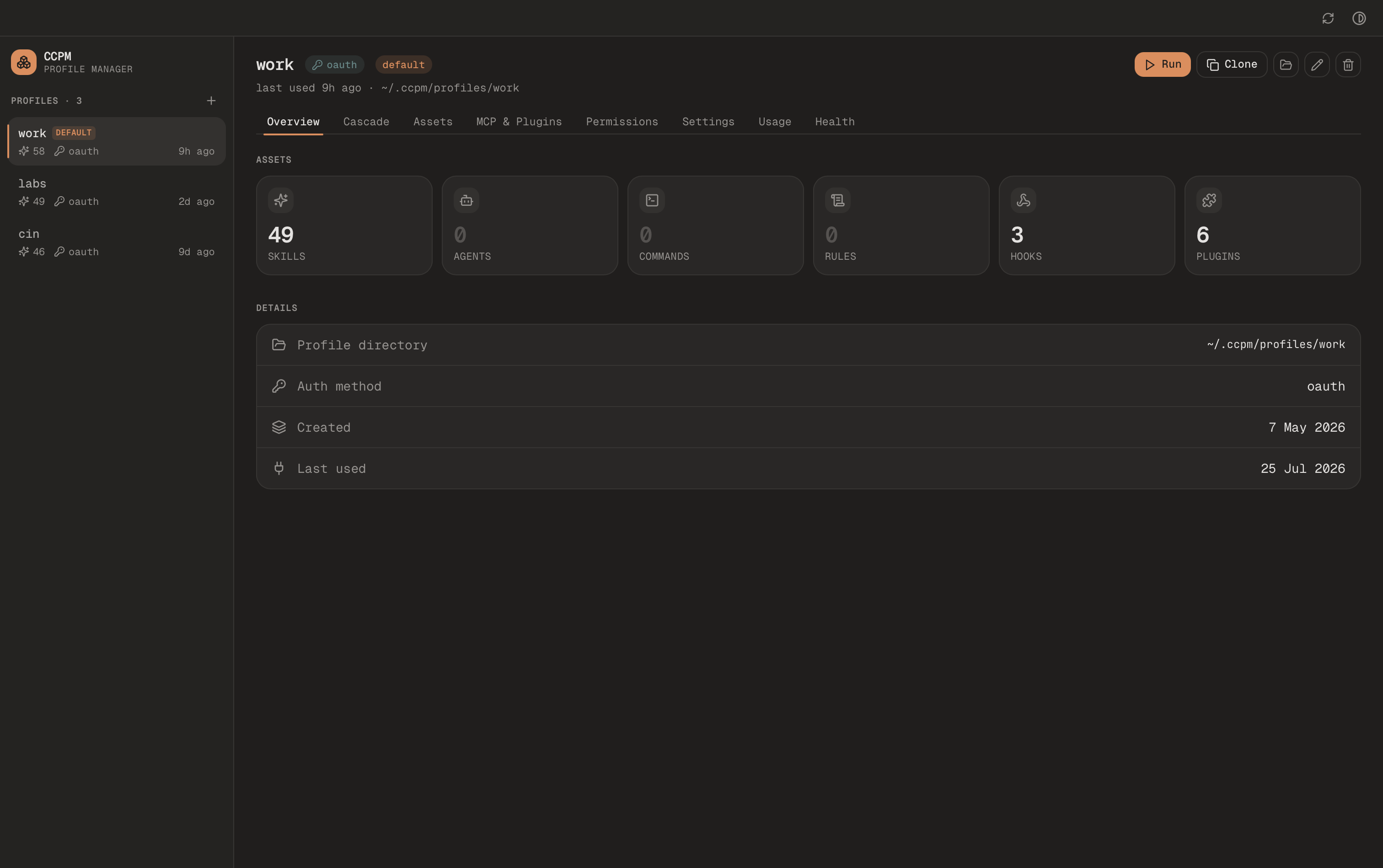
curl -fsSL https://raw.githubusercontent.com/nitin-1926/claude-code-profile-manager/main/scripts/install-desktop.sh | shNative macOS app. Picks your chip, verifies the checksum, installs to Applications and updates itself. Uses the ccpm CLI for changes.
Built for developers who juggle accounts.
Every profile is a real filesystem sandbox — its own credentials, its own MCPs, its own memory. Switch with a single command.
True parallel sessions
Run personal and work Claude Code instances in separate terminals simultaneously. Each session has its own config, memory, and MCP servers. No leaking, no conflicts.
$ ccpm run personal  # terminal 1
$ ccpm run work      # terminal 2
$ ccpm run staging   # terminal 3
Both auth modes
OAuth login or API key per profile. Mix and match across profiles.
Isolated MCP servers
Different MCP configurations per profile. Work Jira stays in work.
Encrypted vault
AES-256-GCM backups with master key in your OS keychain. Safe machine migrations.
IDE-aware defaults
Set the active profile for VS Code with one command. Extension picks it up.
Every profile is a real directory.
No magic daemon. No patched binary. ccpm sets CLAUDE_CONFIG_DIR and Claude Code reads its entire world from there. The isolation is physical.
Tokens live in your OS keychain. Shared skills are symlinked into a de-duplicated store. Everything else is plain files you can cat, diff, and back up.
- ├─.credentials.json OAuth tokens or API key
- ├─settings.json Model, permissions, hooks
- ├─.claude.json Native Claude state + MCP sessions
- ├─CLAUDE.md Per-profile memory
- ├─skills/ Symlinked into shared store
- ├─commands/ Custom slash commands
- ├─agents/ Subagent definitions
- └─mcp/ Env vars, OAuth state
Three steps. No daemons, no patches.
Built on a single official primitive: CLAUDE_CONFIG_DIR. That is it.
Create your profiles
ccpm add creates an isolated directory for each account under ~/.ccpm/profiles/. Every profile has its own credentials, settings, memory, and MCP config.
$ ccpm add personal
Choose authentication method:
  1) OAuth (browser login)
  2) API key
> 1
✓ profile "personal" authenticated

$ ccpm add work
> 2
Enter your Anthropic API key: sk-ant-...
✓ profile "work" authenticatedRun them side by side
ccpm run sets CLAUDE_CONFIG_DIR to the right profile directory and launches Claude Code. Open two terminals, run two profiles. They never interfere.
# Terminal 1
$ ccpm run personal
→ activated personal (oauth, mcp: github)
Welcome to Claude Code

# Terminal 2
$ ccpm run work
→ activated work (api key, mcp: jira)
Welcome to Claude CodeManage from one place
See all profiles, their auth status, and the IDE default. One CLI to manage credentials, switch contexts, and keep everything organized.
$ ccpm list
NAME       AUTH      STATUS
personal   oauth     ✓ nitin@gmail.com
work       api_key   ✓ sk-ant-...7f2k   ★

$ ccpm set-default work
✓ profile "work" is now the VS Code default100% local. 100% private.
Your credentials, config, and data stay on your machine. The ccpm CLI makes no network requests unless you ask it to check for a newer release with ccpm version --check-latest. The optional desktop app only reaches out to check GitHub for its own updates.
Zero telemetry, analytics, or tracking
No data collection. We do not know you exist
API keys stored in your OS keychain, never plaintext
Vault backups encrypted with AES-256-GCM
Everything lives in ~/.ccpm/ on your machine
Fully open source. MIT licensed. Audit the code
Built in the open. Actively maintained.
ccpm is a solo project I use every day. If it saves you time too, I would love your support.
One install. Every account.
Free, open source, MIT licensed. No account required. No credit card. No tracking.